Showing posts with label digital. Show all posts

Thursday, May 19, 2016

Badges, Hit Record, Choice and Authenticty

This year I am a practicing, practicing teacher, which is to say I am a student teacher rehearsing my teaching practice in the classroom of another practicing teacher.  Being a practicingteacher, there are certain limits to what I can attempt within my classroom.  However, I have tried to include digital authorship, creativity, and student choice in every aspect of my teaching.  What follows is a the digital authorship experiment foisted upon my unwitting students.

Badges VS. Hit Recordimg_9187
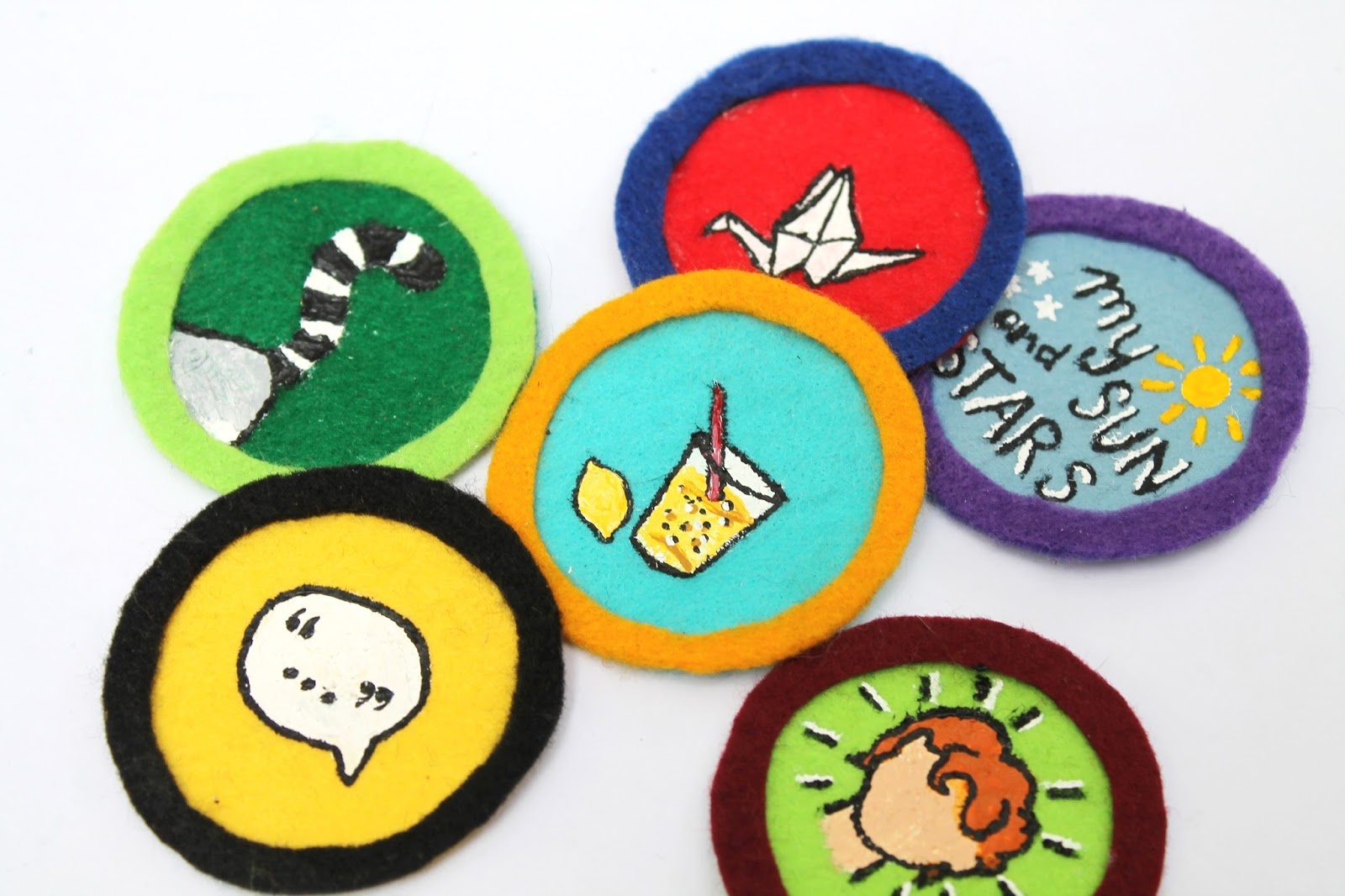
I had a blended learning panic attack when I first learned about badge programs like MacCarthur Foundation’s DIY.  “ Leveling up,” a pedagogy based on the video game concept of levels, is frequently used by Kahn AcademyTenMarks Math and other web-based tutorial programs.   My children have found the idea of level up programming  very exciting and very accessible, but generally only for a short while.  The extrinsic nature of the motivation rarely transfers into the intrinsic quest transforming a student into a lifelong learner.  However, the DIY Badge program is more than a web-based tutorial.  Students are given a great deal of latitude in choosing their area of study, they complete three challenges within their badge, then their work product is graded on a pass/fail basis by a person at DIY.  The diversity of work at DIY may be difficult to monitor, scaffold and supply for a larger number of students, but it lends choice and authenticity to the assigned tasks.  Whether creating assignment parameters that align with the standards of a subject area or using the badge economy to bolster summer student growth, DIY enables students to receive sheltered feedback from a community of people with a shared interest.  

 Badging has been a long standing method of motivating students, particularly within the real  of scouting.  DIY provides a safe online environment for learning that incorporates social interaction.  The application has been used by after school programs as a way to engage students.    

tumblr_static_ewb8itfcw4088gcsk4kgg4ggw
     For middle and high school students to engage in a rigorous, long term project requires work and rewards that are authentic.  Hit Record is similar to the DIY concept in that it provides choice and challenge, but instead of an invented badge economy, the student work has the authentic possibility of being published.   In my experience, invented economies like the one in DIY or those in Kahn Academy will eventually need to be reinforced with some other more tangible reward.  Yet, with Hit Record, just the possibility of publication has been enough to inspire members from three of my poetry, theater and ELA classes to submit their work to the process.  Once submitted, their work can be seen online as a part of a community of creators waiting to be published to a much wider audience.  They can receive feedback from that community and their work may garner further publication.

There are a quite a few things I really like about the Hit Record experience.  First and foremost is the availability of choice.  They have managed to organize the freedom to create anything.  In doing so, they created a very exciting new collaborative outlet.  Choice plays an important role in innovation and creativity.    The sheer magnitude of "Records" available is staggering.    It takes only a few minutes to find and master the searchable “Explore” tab.  The tagging system inherent in the upload process allows a user to search across media, subject matter, artist, genre or any other category.  If you find a project and you feel you can make a contribution, then you use your specific skills to add to the product.
     I decided to jump in on a project called “Morning Monsters”.  The project started as an idea.  Several scriptwriters and illustrators made work contributions.   The illustrations sparked a secondary idea, namely, creating an illustrated children’s book.  The lead collaborator, at this point, had several poems written about the morning monsters attached to the project.  The poems were then read out loud, creating a voice over to be animated later by yet another party.  The project itself is starting to take shape as the result of at least six different artistic choices made by collaborating strangers.
     The lead collaborator for Morning Monsters communicates with the collaborating world via video updates.   In her latest update, she included several examples of the kind of footage she found useful for her project.  She was looking for footage of children, ages 8-12 getting ready for school in the morning.  I happen to have a plethora of children that age.  The animated morning monsters will be added to the live action footage creating the complete scene.  This footage will be part of a montage of meddling morning monsters wreaking havoc in the lives of school children everywhere.  With her simple parameters in mind, my children and I set out to make our leap together.
Here is Logan’s leap: A slipper being commandeered by the as of yet unseen "Morning Monster."
Logan's Leap

Here is Maya’s leap:  A towel, stolen by yet another "Morning Monster" to be added later.

Another advantage I see in using Hit Record in a classroom is that of brevity.  From concept through editing, each project taught one on one with a middle school student took about 45 minutes to accomplish.  While it may take longer to teach a group of children to accomplish the “Record”, it is much easier than creating an entire film short from scratch.
     Not every “record” is included in the final collaborative effort.  However, simply seeing their video posted to the Hit Record website was enough authenticity for my children to become very excited about the process.  With older children, this may not be the case, but the "collaborative challenge" option allows students to accept a challenged already issued by someone outside of the classroom.  Such an opportunity may give more closure to their concept of authenticity.
I did have a very Patricia Lange moment with my leap.  My children were very excited to put together a video project on their iPads, yet do I really want my children to become part of a “Hit Record” video set somewhere?  In the end, I decided the experience was worth the risk.  As collaborators, we are supposed to cite and tag each work or idea we have used to build and remix our new product.  As a teacher, I like the idea of citing other artists within a creative environment.  As a parent, I am glad that the work my children created will be cited and I will be notified of the ongoing building process. What remains to be seen is, where will our record end up?  I love an enduring mystery.
I created something - something at the beginning of its journey.  I wonder where it will lead.
     

Tuesday, January 19, 2016

This is My Brain on Evernote


So now I have all of this wonderful information funneling into my world through my coursework, professional development, fellow teachers and other resources.  The information is wonderful, yet if I stuff one more piece of information directly into my brain I will forget something important like my children's names or my mother's phone number.  With my limited capacity in mind, I began to explore Evernote.

     Evernote has web clippers available for my smart phone, my laptop and my tablet.  If I read something interesting, I can clip it, place it in a folder and tag it from any device and it shares across all devices.  The number of tags a user can create is unlimited.  The number of folders a user can create is large, but not unlimited.  I have many tags but only two folders.  My "bagged and tagged" folder holds information I have read and tagged.  My "first folder" serves as a to do list calling up anything I think might be interesting, but have not had the opportunity to read and tag.  I will occasionally create a folder for a specific project, specifically when sharing group work.

     Designing your Evernote account from scratch begins with a considerable amount of personal reflection.  I needed to create an online storage source that mirrors my thought process as a teacher. The information I create or find online, in class and through Twitter converges account in three important ways:  Curriculum, literary canon and professional resources.  I created an Evernote infrastructure that reflects my own divergent thought process and can grow as my resources develop. 

      I began my curricular organization using Inspiration 9 software to create a detailed map of the ELA Common Core Standards. This is a map of each path I need to cover within my teaching year.


     The Common Core Standards for ELA are layered across four methods of communication used in English; writing, reading, speaking/listening and language.  There is a considerable amount of concept repetition among the standards.  For example, assessing the credibility of written material is very similar to assessing the credibility of spoken material.  I combined any similar standards and created a list of each individual concept.  From this list I created my first type of tag:  Curriculum.  Here is a sample tag:


     My tag list counts the number of notes with a particular tag, making it possible to use my tag list to assess my curriculum for weak areas.  For example, I currently have a large number of resources for vocabulary. However, I have very few tags with regard to informational writing making that my next area of research. 

     My second type of tag is a straightforward reflection of literary canon.  It contains the author and title of the a piece of literature.   I also file informational text about the life and times of a particular author in a general file under the author’s name.  For example:


Lit.Twain.TomSawyer

Lit.Shakespeare.general


     I can use my literary tags in the same way to determine my balance of fiction and non-fiction writing.  I can also cross tag my literature and curriculum resources.  For example, instead of using only Edgar Alan Poe to discuss mood and tone, I can search my Evernote for "Mood" and the results will include any mentor text I've encountered to help teach the concept.  This feature adds variety to my lesson planning and is particularly helpful when trying to personalize learning across a large number of students. 


     My third type of tag revolves around research, best practices and professional development.  There are any number of outside influences affecting my work within a classroom.  My “PD” tags organize the girth of information and resources flooding a teacher’s world every day.  I began my PD tags with units of study in each of my graduate courses; their expansion reflects my interests, the professional development opportunities I have enjoyed and more.    Here are examples of my assessment tags:


Pd.assess.MC

Pd.assess.Formative

Pd.assess.standard


     I will need to ground my teaching in solid practices and methodology in order to serve my students and fellow teachers well.   This segment of my tag population is built to grow in order to include curated information about new trends, ideas or current issues in education. 

   I have an enormous box in my dining room filled with lesson plans, book lists, and other information I have gleaned from my mentor teachers.  With Evernote I am able to scan those resources digitally enabling me to build a working resource base and to once again have guests over for dinner.  I also look forward to scanning and compiling student work to incorporate into my planning. 

     Evernote also gives you the ability to annotate documents and PDF's.  I anticipate using Evernote to teach annotation and evidence gathering within my classroom activities.  To do so will enable each of my students to design a personal knowledge base, cataloging their research across multiple grade levels as they dig deeper into each concept.  But that is another blog for when I have my own classroom.  

     Meanwhile, Evernote is an important part of my growth and reflection as a teacher.  


My Current and Ever Expanding Tag List

Curricular Resources Based on CCSS.

curr.figurative, 
curr.figurative.aliteration, 
Curr.info.analysis,
 curr.info.comprehension,
 Curr.info.integration, 
Curr.info.organization, 
curr.info.planning, 
Curr.info.research, 
curr.info.text, 
Curr.Lit.games, 
Curr.Lit.Tech, 
Curr.media.interp, 
Curr.Media.use, 
Curr.narrative.characters, 
Curr.narrative.context, 
Curr.narrative.events, 
Curr.narrative.POV, 
Curr.narrative.structure, 
Curr.narrative.theme, 
curr.poetry, 
curr.rich.general, 
curr.shortstory, 
Curr.Speaking.group,
Curr.Speech, 
Curr.Speech.graduation, 
Curr.theater,
Curr.vocab.etymology, 
Curr.vocab.figurative, 
Curr.vocab.linguistics, 
Curr.vocab.nuanced, 
Curr.vocab.phrases, 
Curr.vocab.reference, 
Curr.vocab.words, 
curr.wp, 
Curr.WProcess.development, 
Curr.WProcess.planning, 
Curr.WProcess.prompts, 
Curr.WProcess.structure, 
Curr.WProcess.style, 
Curr.WProduct.context, 
Curr.WProduct.editing, 
Curr.WProduct.grammar, 
Curr.WProduct.publishing, 
Curr.WProduct.rewriting, 
Curr.WProduct.wordchoice, 
Curr.Writing.tech

Literary Resources/Mentor Texts

Lit.Auden.Funeralblues,
Lit.Austin.general,
lit.Bierce.Devilsdisctionary,
lit.bradbury.dandelion,
lit.bradbury.general,
lit.bradbury.wicked,
lit.bukowski,
lit.cabrera.rudy,
Lit.cervantes.Quixote,
Lit.Chaucer.General,
Lit.Collins.HungerGames,
Lit.Conrad.Heartdarkness,
Lit.Dante.DivineComedy,
lit.doyle.baskerville,
Lit.Dubois.letters,
Lit.Einstien.letters,
Lit.eliot.lovesongprufrock,
Lit.Elliot.AncientMariner,
Lit.Fable,
lit.ferlinghetti.11,
Lit.Fitzgerald.Gatsby,
lit.frost.roadnottaken,
lit.gaiman,
Lit.general,
Lit.Gibran.Autumnleaves,
Lit.Gibson,
lit.gray.churchyard,
Lit.GreekMythology,
Lit.Hemingway.general,
Lit.Jones.Marshall.touchscreen,
Lit.Kafka.general,
lit.kaplan.lincoln,
Lit.Kivi.SevenBrothers,
Lit.Lee.Mockingbird,
Lit.Lewis.General,
lit.lovecraft.general,
Lit.Lowry.Giver,
Lit.mcmanus.grasshoppertrap
Lit.Melville.Mobydick,
lit.miller.crucible,
Lit.mythology,
Lit.Nash.Isabel,
Lit.Nietche,
Lit.Orwell.Animalfarm,
Lit.Parody,
lit.plato.republic,
Lit.Poe.CaskAmontillado,
Lit.Poe.General,
Lit.Poe.Raven, Lit.Poe.Telltale,
lit.rand.general,
lit.scifi,
Lit.Seuss.GreenEggs,
Lit.Shakespeare.general,
Lit.Shakespeare.Hamlet,
Lit.Shakespeare.JuliusCasear,
Lit.Shakespeare.MacBeth,
Lit.Shakespeare.MuchAdo,
Lit.Shakespeare.RomeoJuliet,
Lit.Shakespeare.Tempest,
lit.Shelley.Frankenstein,
Lit.Silverstein,
Lit.Stockton.LadyTiger,
 Lit.Thoreau.Walden,
Lit.Tolkein.LOTR,
lit.turing,
Lit.Twain.general,
Lit.Twain.HuckFinn,
lit.urban.johncougar,
lit.verne.80days,
lit.waites,
lit.wallace.general,
Lit.Watterson.CalvinHobbes,
lit.whitman.captain

Professional Development Topics

pd.accom,
PD.accom.ADHD,
PD.accom.aut, 
PD.Accom.dislexia,
 PD.accom.ELL,
PD.accom.gifted,
PD.accom.loss,
PD.accom.OG,
PD.assess.essay,
PD.assess.MC,
PD.assess.project, 
PD.assess.stand,
PD.assess.tech, 
PD.assessment.data, 
PD.Authentic,
PD.blended,
PD.booklists, 
PD.Civicengagement, 
PD.class.culture, 
PD.class.culture.bullying, 
PD.class.culture.character, 
pd.class.culture.cheating,
PD.class.culture.conflict, 
PD.class.culture.grit, 
PD.class.decor, 
PD.class.discipline, 
PD.class.man.tech, 
PD.class.managementplan, 
PD.class.organization,
PD.clipart, 
PD.collaboration.strategy, 
PD.collaboration.tech, 
PD.communication, 
pd.crossover.history, 
PD.Crossover.Math,
pd.decor,
Pd.engagement, 
PD.freeresources,
Pd.gaming,
PD.innovation,
Pd.inquiry, 
PD.lessonpan.strategies,
PD.lessonplan.graphorg, 
PD.lessonplan.ideas, 
PD.lessonplan.search, 
PD.lessonplan.tech, 
PD.lessonplan.tech.flipped, 
PD.opensource.resources, 
pd.personalized,
pd.projectbased, 
PD.reading.strategies, 
PD.reading.tech,
PD.reflection,
PD.RTI,
pd.tech.blended,
pd.tech.blog, 
Pd.tech.digitalcitizenship, 
Pd.tech.resources,
pd.tech.video,
Pd.tech.webdesign

Tuesday, September 8, 2015

Teacher's Toolkit - Flipgrid - #Digiuri 2015


    I attended a professional development opportunity last April as part of the Comebackcity High Expectations Project (CHEP 2015).  One of my favorite sessions describing a scope and sequence of rhetorical habits to improve to improve the rigor of group discussion in a classroom.  The sequence of eighteen positive discussion habits ranging in difficulty, was developed by teachers at Uncommon Schools and Northstar Academies.  


    Explaining a skill in rhetoric is never as effective as modeling the skill directly for students.  Unfortunately, not all of the eighteen habits will occur naturally within a group discussion.  For several months I have looked for a way to model the skills students need to add rigor to group discussion.  I wanted the subject of the model to be neutral, allowing the video to be used across Science, Social Studies and ELA curriculum.  I also wanted to include a very short audio visual element I can use to cue students in any classroom subject.   Flipgrid was used with a group of teachers as an ice-breaking activity at the Summer Institute on Digital Literacy conference held at the University of Rhode Island this summer. Intrigued, I decided to create a Flipgrid discussion about Flipgrid.  Then I added a Jedi.  


Preproduction:


    Flipgrid, developed by the University of Minnesota, allows a teacher to ask a question and record the response of students.  When used in its traditional teacher asks/student responds format, it is an engaging way to get to know students, to help them listen to and communicate with one another, and it can even be used to engage parents at home.  There is a limit of ten Flipgrids, which, when used regularly across five classes can dwindle quickly.  However, I learned that each grid can contain an unlimited number of questions.  Instead of creating one grid per Flipgrid assignment, I can create one grid per classroom and add a question for each assignment.  There is an annual cost for Flipgrid depending on the user and institute using the program.   The cost for a K12/Private institution is $65 per year, this allows for 10 grids with unIimited questions and responses. I found a demo on the same page and signed up for a free trial lasting 21 days.

 pricing flipgrid.png


On Set:


    My son and I set out to film this Flipgrid question and response series reflecting each of the eighteen group discussion habits I needed to model in class.  Once within the Flipgrid program, there were ample video tutorials and the administrative page was very intuitive.  Each video has a maximum length of ninety seconds.  Flipgrids can be viewed permanently or until removed by the administrator. However, nothing can be added to a grid after the 21 day a trial period.  


   The series can be shared with a weblink or embedded in a webpage.   The grid can be easily edited, but the hash cannot. (You can but to do so produces a new weblink and embedding code.) The series can be deactivated, meaning no one can add further videos. Each grid has its own set of security options, so it can be managed by the administrator to moderate the content displayed.  Each video requires a picture of the user, and agreement to the Flipgrid terms of service. When I asked a random group of parents to respond to a question online, the agreement process was off-putting. But the parents in our PTO did not have a thorough explanation in advance. As you can see, the picture function was enormously entertaining for Baby Wolverine.


 At the end of each video, the speaker can record a one word first and last name in separate boxes.  A first and last name must be entered.  Only the first name appears on the video.  Instead of typing a name, I used this feature to label each of the core habits illustrated in the video.  


One of the most attractive features of the product is my ability to run my mouse across the videos to find the exact video to play as a model for the class.  I can also email a specific video clip to a specific student assigning them a “secret habit” to practice during discussion that day.  For example, Johnny is asked to play the “Devil’s” advocate.  If he models the habit correctly, then students watching the discussion should be able to identify his assigned secret habit.  

Post Production:


  Flipgrid is a very flexible tool for engaging students in an assessment.  I can easily see this used as a way to assess speaking in a foreign language classroom.  Its content is unlimited and the program is quick and easy to use.  A teacher can also demonstrate a step by step process visually. The audio/visual element of Flipgrid makes it an interesting alternative for students with special needs.   I would consider creating a personalized grid for each student and posting to their grid any step-by-step instructions they need for the day’s the lesson.  

The Reviews:


   I give two thumbs up for this program.  It is easy for students to use.  My son had as much fun taking still pictures with the webcam as he did recording the videos.  He even enjoyed the ability to reorder videos by the date or the number of likes and views.  The format is basic enough to use in many different kinds of classes.  When I become the head of my own classroom, I would consider this to be an excellent investment.